1) Open the SOAP generator and choose the WSDL source
Go to Generate SOAP. Choose how to provide the WSDL:
- Upload WSDL file: select a
.wsdlor.xmlfile. - Provide URL: paste a public WSDL URL (e.g.,
https://example.com/service?wsdl).
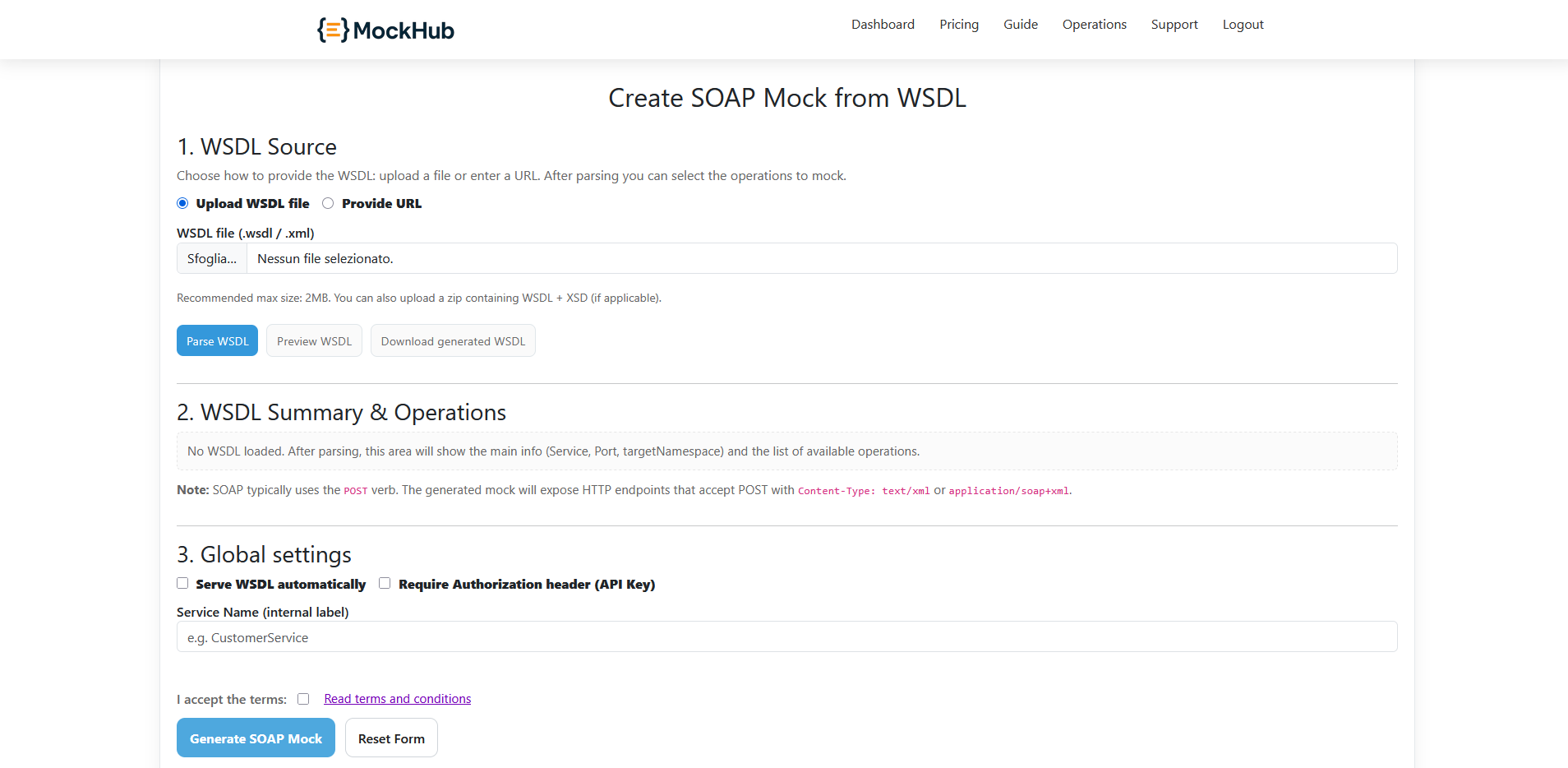
Click Parse WSDL. If parsing succeeds, you’ll see a summary (Service, Ports, targetNamespace) and the list of operations.
2) Review operations and set response templates
For each operation you can:
- Enable/disable the operation for generation.
- Select SOAP version (
1.1or1.2). - Provide a SOAP XML response template: include Envelope and Body. You can insert dynamic variables like
{{uuid}},{{timestamp}}, etc., which the server renders at runtime. - Adjust the endpoint path suggestion if needed. The final endpoint will include the service and a random suffix for uniqueness.
Note: The mock accepts POST with text/xml or application/soap+xml.
3) Configure global settings
- Serve WSDL automatically: expose the WSDL at
/soap/<ServiceName>. If disabled, only owners can fetch it. - Require Authorization header (API Key): protect all operations with the
X-API-Keyheader.- Click Generate API Key to create a secure key for this service. The field becomes read‑only once generated so it’s not edited by mistake.
- You can also paste your own pre-shared key instead of generating one.
- Service Name: internal label and part of the WSDL URL if you expose it.
4) Generate and test the SOAP mock
Accept the terms and click Generate SOAP Mock. The backend validates reCAPTCHA, enforces account limits (Free: up to 5 items; Premium: up to 100), creates the service, and returns the generated endpoints, e.g.:
/soap/<ServiceName>/<OperationName>_<random>
If you enabled WSDL exposure, the WSDL is available at:
/soap/<ServiceName>
Example call with cURL (SOAP 1.1):
curl -X POST "https://mockhub.ovh/soap/ServiceName/Operation_abc123" \
  -H "Content-Type: text/xml" \
  -H "X-API-Key: <YOUR_KEY>" \
  --data-binary @body.xml
Daily call limits apply: Free up to 40/day, Premium up to 15,000/day. Services auto-extend expiry on usage when near expiration.