Tutorial

View and Disable Your APIs

Use the dashboard actions to disable an endpoint when not needed and confirm the status change to Offline.

1) Open actions on the endpoint

From the dashboard, locate the endpoint card. Open the Actions menu to access management options.
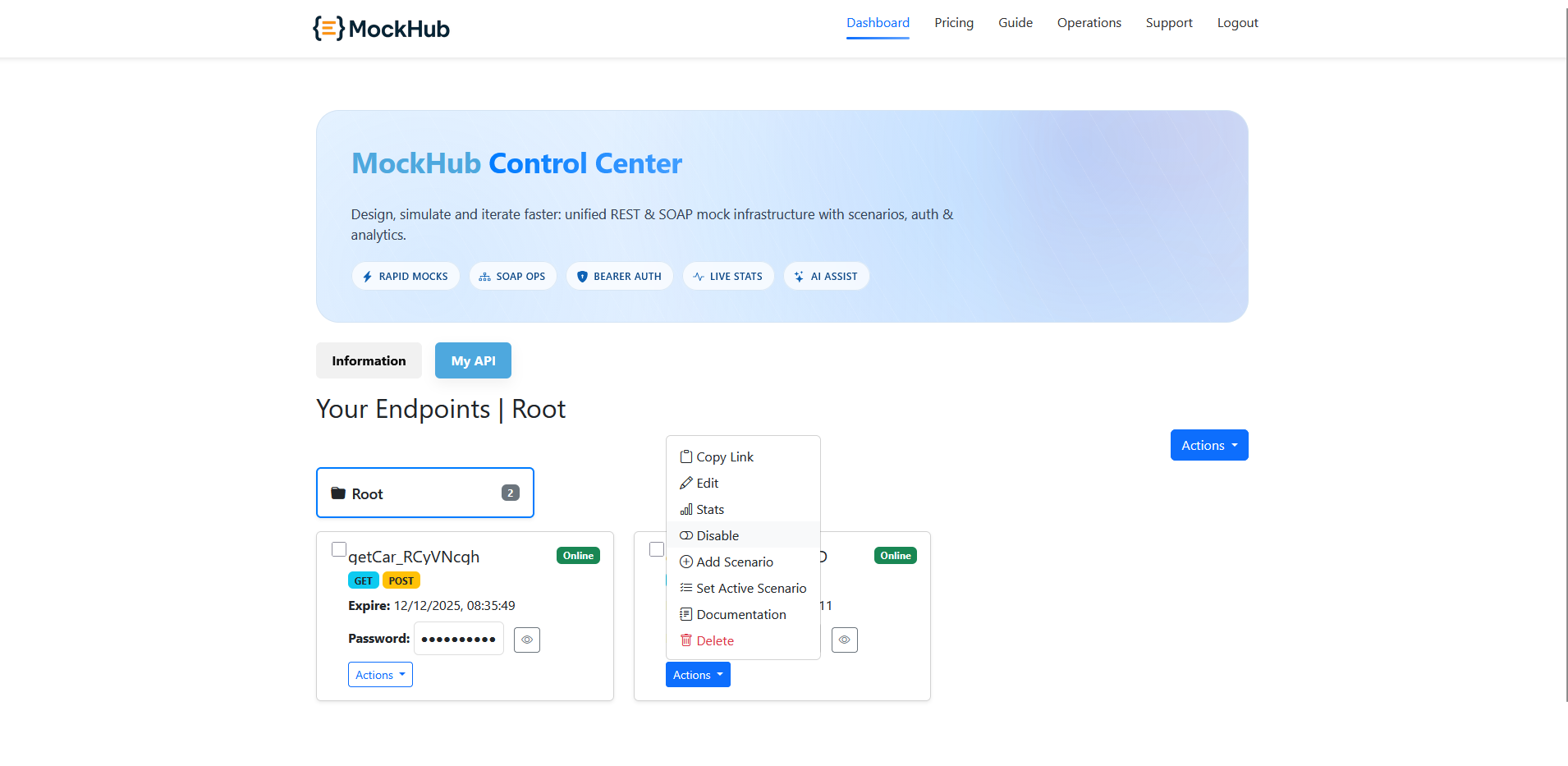
Dashboard endpoint Actions menu opened
Open the Actions menu to reveal options like Disable, Stats, and Set Active Scenario.

2) Confirm disable

Click Disable. A confirmation popup appears; review and confirm to disable the endpoint.
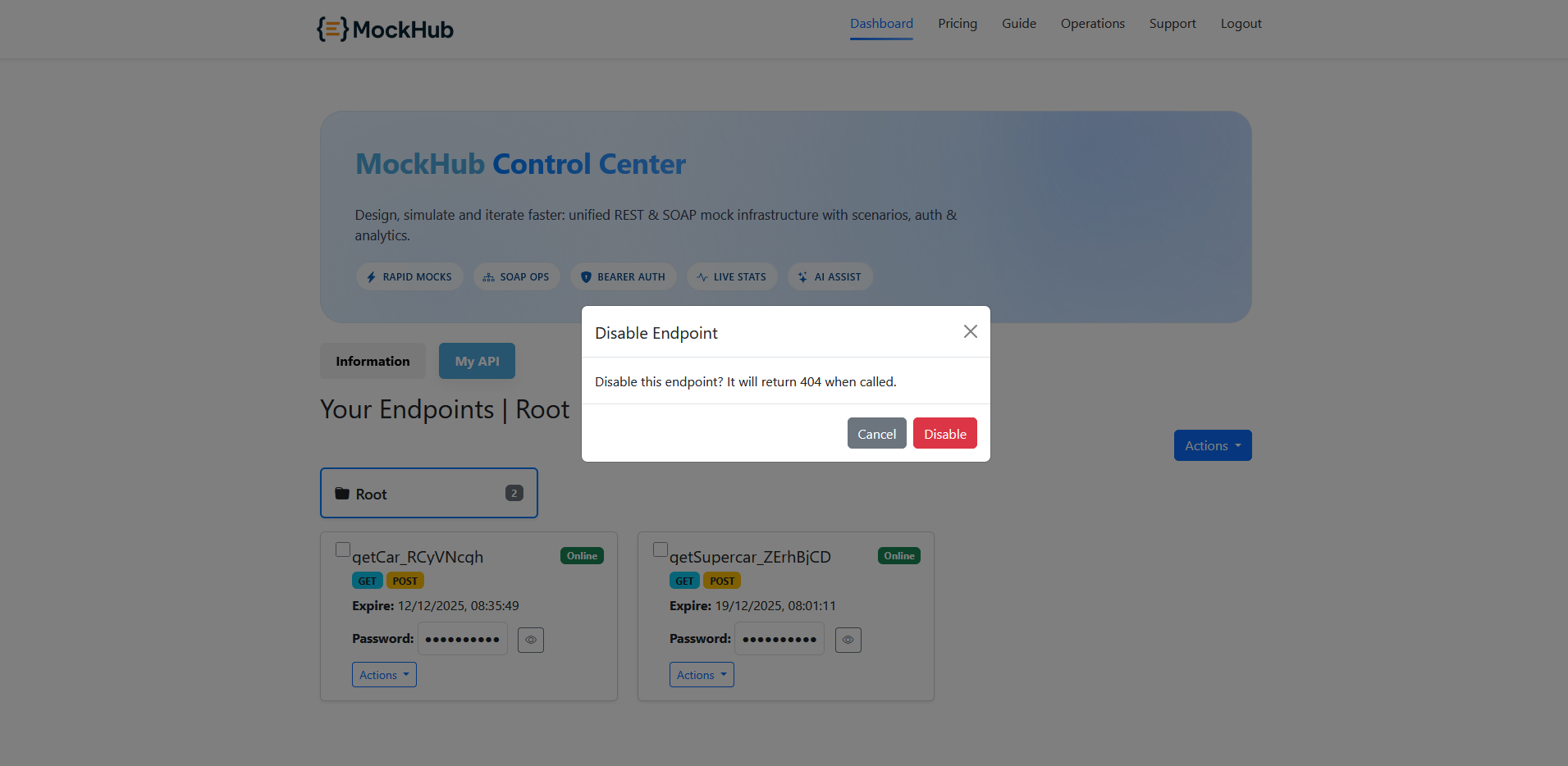
Confirm disable popup
Confirm the action to prevent accidental disablement.
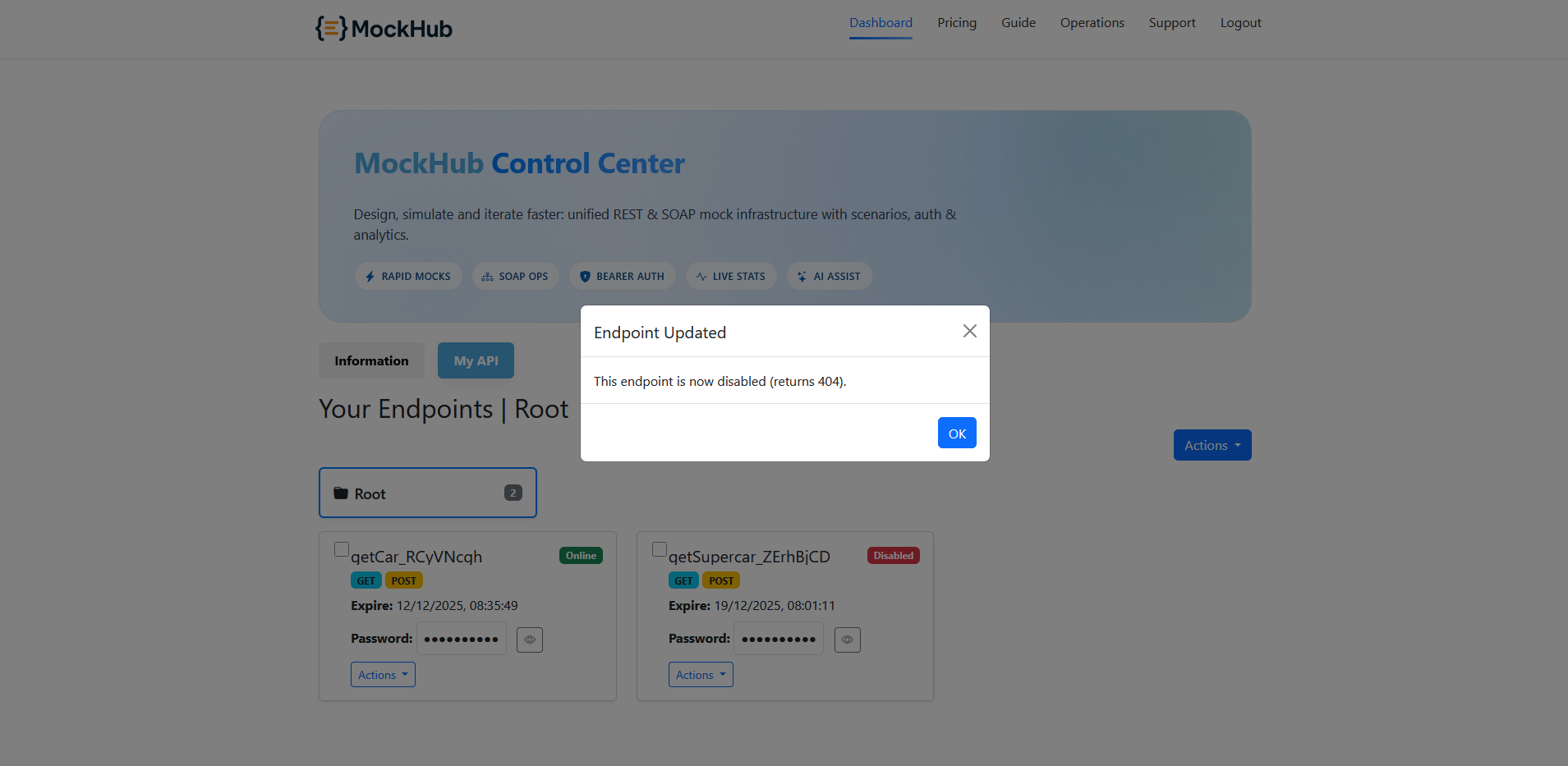
Disable confirmed popup
Success confirmation appears when the endpoint is disabled.

3) Verify status change

After disabling, the endpoint’s status label changes from Online to Offline on its card.
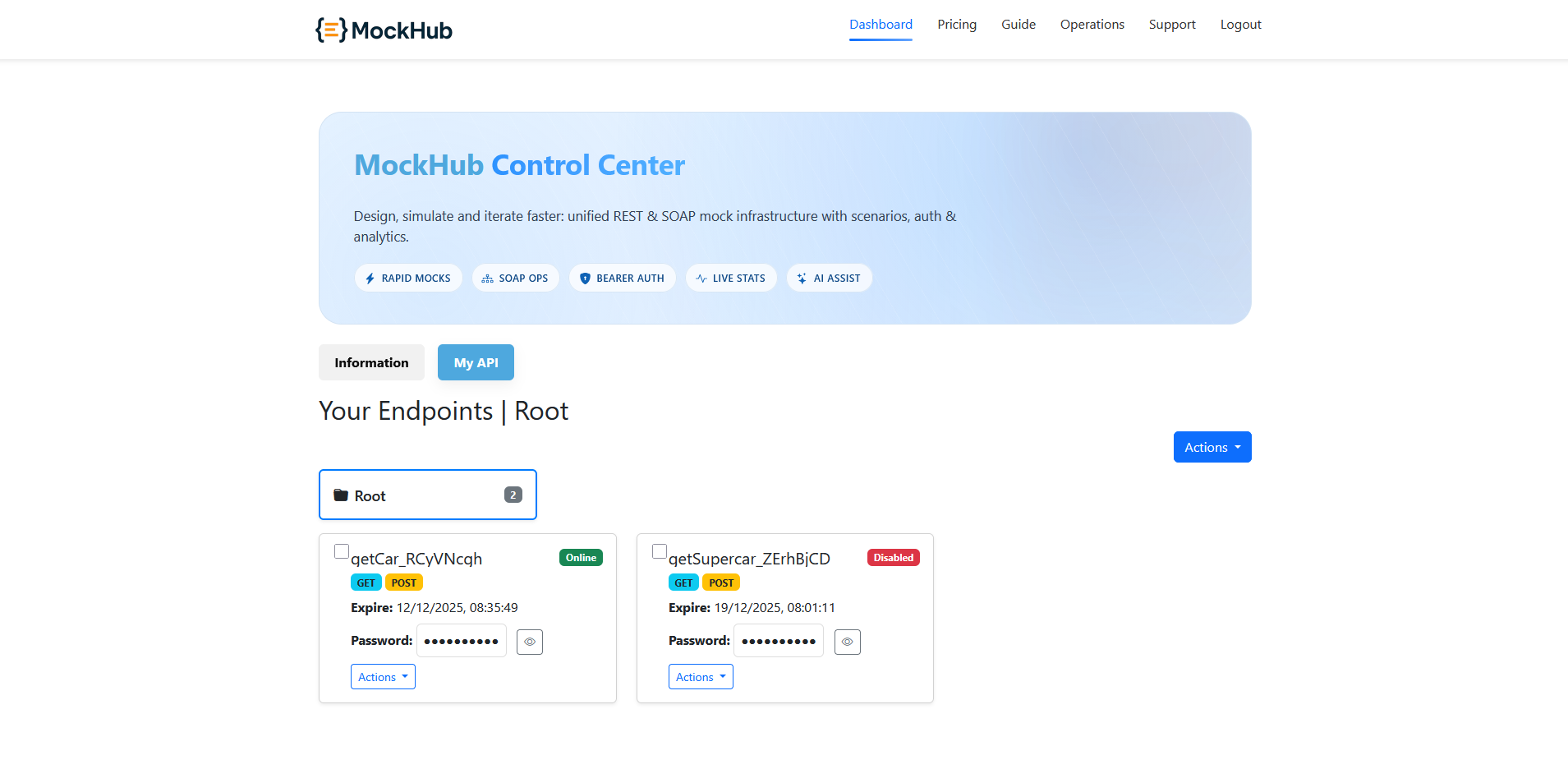
Endpoint card showing Offline status
The status badge reflects the updated state. Re-enable as needed from the same Actions menu.
Next: Mock API Guide Add a Scenario Switch Scenario